Free Download
Betdred Download the app — The best betting experience on Android and iOS
Bet on cricket, football, and Live Casino straight from your smartphone. Install the Betdred app in minutes — completely free, no hassle.
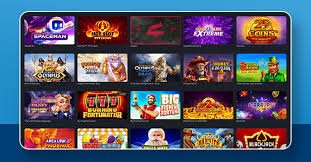
Bet on cricket, football, and Live Casino straight from your smartphone. Install the Betdred app in minutes — completely free, no hassle.
Betdred runs brilliantly on both Android and iOS
Download and install the APK file directly — works without the Google Play Store. Setup takes just 2 minutes.
On your iPhone or iPad, go straight to the browser and add Betdred to your home screen — it feels just like a native app.
Get Betdred ready on your phone in just a few simple steps
Tap the "Download Android APK" button above and your browser will automatically begin downloading the APK file.
Go to Settings → Security → Unknown Sources and enable the option. This is required to install APKs from outside the Google Play Store.
Open the Betdred APK file from your Downloads folder and tap the "Install" button.
Once installation is complete, tap "Open" or tap the Betdred icon on your home screen.
Log in with an existing account or create a new one. Get started in just 2 minutes.

Secure Download Guaranteed The Betdred APK is completely safe and malware-free. Every release goes through a rigorous security audit before it reaches you.
Add a shortcut to your home screen using the Safari browser
Open Safari on your iPhone or iPad and go to betdred.net.
Tap the Share icon (a box with an arrow pointing up) at the bottom center of your screen.
In the Share menu, find and tap the "Add to Home Screen" option.
Confirm the name and tap the "Add" button in the top right. The Betdred icon will appear on your home screen.
From now on, tapping the Betdred icon on your home screen will open it in a full-screen, app-like experience.
For Chrome users You can also add a home screen shortcut from Chrome on iPhone in the same way. For the best experience, though, Safari is recommended.
More features in the app than the browser version
Loads 3x faster than the browser. Never miss a moment in live betting.
Get match results, odds changes, and bonus offer updates delivered directly to your phone.
Dark mode is on by default to keep your eyes comfortable. Play through the night without the strain.
Log in in seconds with fingerprint or face unlock — no password to remember.
The app stays functional even on a poor connection and syncs automatically once your signal is restored.
The app updates itself automatically whenever a new version is available — no manual download required.
A lot of people have questions about downloading the Betdred app — especially those installing a betting platform for the first time, for whom APK files might feel a little unfamiliar. In reality, it's straightforward: the process is just like installing any other app, with one small setting change.
The Betdred APK is completely safe. It undergoes regular third-party security audits and has been tested across multiple antivirus engines, including VirusTotal. Download with confidence.
The app is very lightweight at around 5 MB, so it runs smoothly even on older or low-RAM devices. Live Casino and streaming features use a bit more data, so a Wi-Fi or strong 4G connection will give you the best experience.
The Betdred web and app versions offer largely the same features, but the app comes with a few extras — push notifications, biometric login, smoother gameplay, and Data Saver mode. For regular bettors, the app is the clear choice.
Many people wonder whether downloading the app comes with extra charges. The answer is no — downloading Betdred is completely free. You'll only use your regular internet data, the same as any other app download.
On a weak network, enable "Data Saver Mode" in the app's Settings. Live streams will be paused, but betting and score updates will continue without interruption.
The Betdred app checks for new versions automatically at launch. If an update is available, you'll receive a notification and can install it with a single tap.

See which one suits you best
| Feature | Betdred App | Mobile Browser |
|---|---|---|
| Loading Speed | Blazing fast | Relatively Slow |
| Push Notifications | Available | None |
| Biometric Login | Available | None |
| Offline support | Partial | None |
| Data Saver mode | Available | None |
| Live Streaming | Available | Available |
| Completely Free | Yes | Yes |
Frequently Asked Questions
Trusted by millions of users across Bangladesh — register on Betdred and claim your welcome bonus.